[ field note ] · 23 Nov 2025
Building a Privacy-First RSS Reader with AI Summaries
How I built a self-hosted RSS reader with local AI summarization using Small Language Models—no cloud APIs, no tracking, just privacy-first information filtering.
- self-hosted
- privacy
- ai
- rss
Building a Privacy-First RSS Reader with AI Summaries
Reading time: ~9 minutes
I was drowning in RSS feeds. Whenever I had my PC open, I’d check my reader and find 50+ new articles from Hacker News, Kubernetes blogs, GitHub updates, and indie developer newsletters. The problem wasn’t finding content—it was deciding what was worth my time.
I needed something that could give me a quick summary: “Is this article about Kubernetes networking actually useful, or just another ‘getting started’ post?” But I couldn’t find a solution that fit my needs.
Here’s what I discovered: AI is accessible to everyone now. You can run models on your laptop using Ollama easily. But I had doubts about performance—my Mac Mini M1 is fast, but is it fast enough for real-time summarization?
After reading research on Small Language Models, I was convinced: for simple summarization tasks, I didn’t need a huge model. This aligned perfectly with my ideal of sustainable AI. A 1-3B parameter model running locally would be more than sufficient—and completely private, so I’m iterating with model gemma3:1b
Obviously, a huge model could generate better summaries than a small language model, but this is a cost-benefit trade-off. Based on my daily usage over the last month, the smaller models are more than enough for fast summaries.
Privacy matters to me. I’ve worked in companies that don’t sell user data, that worry about anonymizing PII, and that navigate EU privacy laws. I wanted to maintain complete transparency about data treatment—no tracking, no data collection, everything stays local.
I looked for existing solutions, but nothing fit my needs. I had a Cursor license, so I thought: why not try building the app myself?
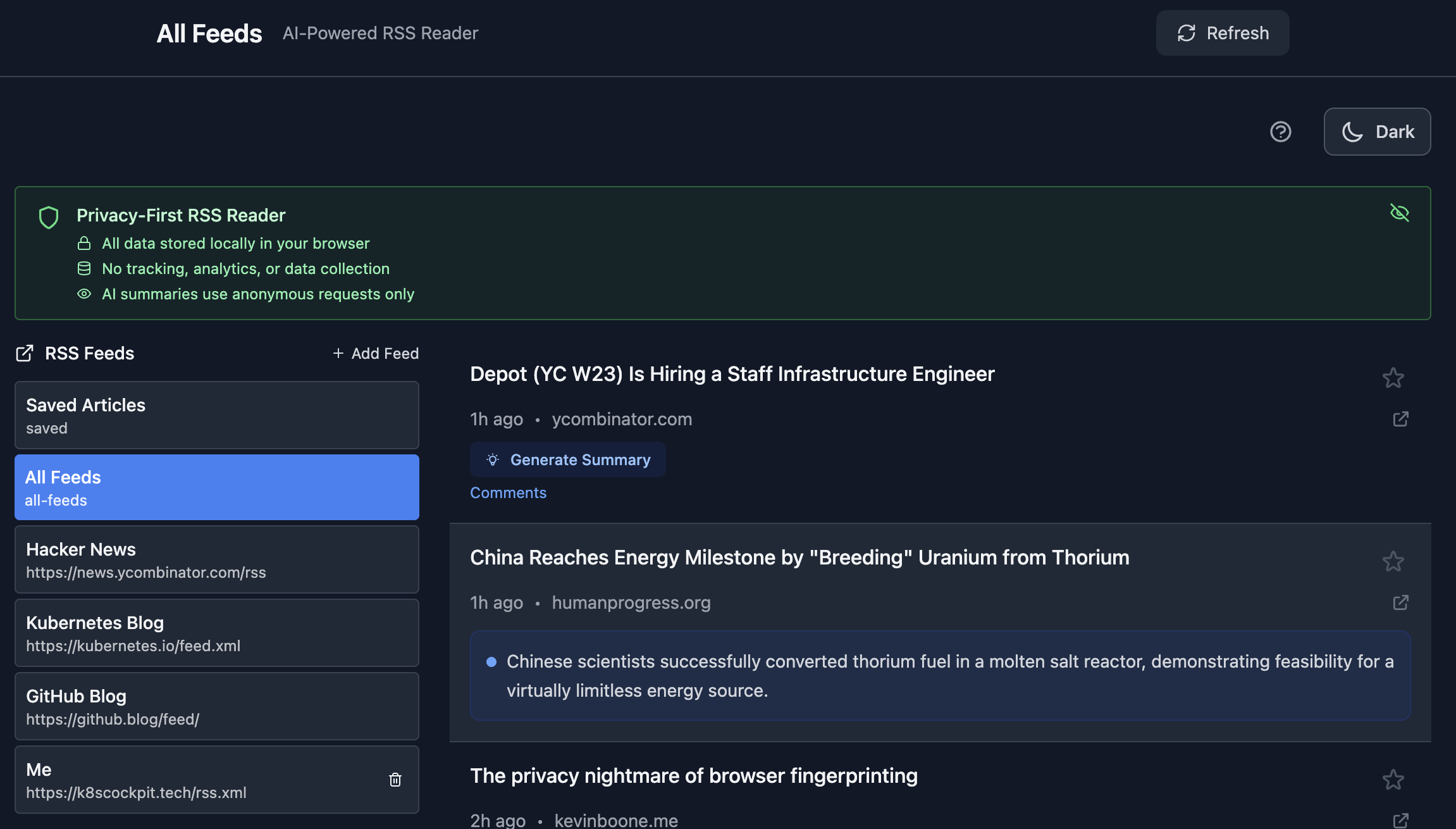
So I built RSS AI Reader—a privacy-first, self-hosted RSS reader that uses Small Language Models running locally to generate summaries. No cloud APIs, no tracking, no data leaving my infrastructure.
Building with AI Assistance: The Journey
I’m a Senior Platform Engineer, so building a frontend app from scratch would be time-consuming. But I knew exactly what I wanted: local models with Ollama, privacy-first design, something clean and simple—think Hacker News but with AI summaries.
The first iterations were surprisingly successful. In a couple of hours, I had a rough prototype working—though I started with OpenAI instead of Ollama to validate the concept quickly.
I used Dash Platform to deploy and test the app. This was perfect for rapid prototyping—I could push changes, share the URL, and test from my phone within minutes. Dash handles the deployment complexity (Docker builds, SSL, CDN) so you can focus on building. As one of the co-founders, this was perfect timing to eat my own dog food.
Once friends and family validated the project, I needed to dive deeper into the code. Here’s where the real work began—and where Cursor showed both its strengths and limitations:
What worked:
- Visual iterations were fast. I could describe what I wanted and get working code quickly.
- The initial prototype came together in hours, not days.
The Challenges:
- Monolithic components: Cursor generated huge, all-in-one components. I spent days refactoring into smaller, reusable components. There’s still room for improvement.
- Hardcoded models: The initial OpenAI integration was hardcoded throughout the codebase. Converting it to Ollama-compatible code took Cursor a couple of days of iteration—it struggled with the architectural changes.
- Hacker News quirk: Every time I iterated, Cursor would change the summary logic to summarize comments instead of articles. This was frustrating—other RSS feeds worked fine, but Hacker News kept breaking. I’d test other feeds, everything worked, then test Hacker News again and realize the summaries were from comments, not the article.
- CORS and Proxy: I thought I was the only one struggling here, but Cursor struggled too. It took several days of iteration to properly handle CORS and set up the proxy to eliminate external dependencies.
- Privacy features: The first iterations around privacy weren’t successful. I had to prompt more explicitly than usual to get privacy settings implemented correctly.
- Code quality: Frontend iterations are visually fast, but the generated code isn’t always production-ready. You still need to review, refactor, and improve.
The Reality: AI-assisted development accelerated my learning and let me build something I wouldn’t have attempted otherwise. But it’s not magic—you still need to understand the code, refactor it, and fix the quirks. The real win? A backend engineer building a React app that actually works.
Architecture: Privacy-First, Self-Hosted
The RSS AI Reader is built with a clear architecture philosophy:
┌─────────────────────────────────────────────────────────┐
│                    Browser (Client)                      │
│  ┌──────────────────────────────────────────────────┐  │
│  │  React Frontend (Vite + TypeScript)              │  │
│  │  - All data stored in browser localStorage        │  │
│  │  - No tracking, no analytics                     │  │
│  │  - Privacy-first design                           │  │
│  └──────────────────────────────────────────────────┘  │
└─────────────────────────────────────────────────────────┘
                        │
                        │ HTTP Requests
                        ▼
┌─────────────────────────────────────────────────────────┐
│              Your Infrastructure                         │
│  ┌──────────────┐  ┌──────────────┐                     │
│  │   Frontend   │  │    Proxy     │                     │
│  │   (nginx)    │  │  (Express)   │                     │
│  │              │  │              │                     │
│  │  - Serves    │  │  - RSS Feed  │                     │
│  │    static    │  │    Proxy     │                     │
│  │    assets    │  │  - CORS      │                     │
│  │              │  │    handling  │                     │
│  └──────────────┘  └──────────────┘                     │
│         │                  │                            │
│         └──────────────────┘                            │
└─────────────────────────────────────────────────────────┘
                        │
                        │ Direct Connection
                        ▼
┌─────────────────────────────────────────────────────────┐
│              AI Model Providers                           │
│  ┌──────────────┐                                        │
│  │   Ollama     │                                        │
│  │  (Local)     │                                        │
│  │              │                                        │
│  │  - gemma3:1b │                                        │
│  │  - phi3:mini │                                        │
│  │  - granite4  │                                        │
│  └──────────────┘                                        │
└─────────────────────────────────────────────────────────┘
Key Features
AI-Powered Summaries
The core feature: AI-generated summaries that help you decide what’s worth reading.
- Short summaries (20 words): Quick filtering—get the gist in seconds, not minutes. Perfect for scanning through dozens of articles.
- Extended summaries: More detailed analysis when you need it. Great for understanding complex technical articles before diving in.
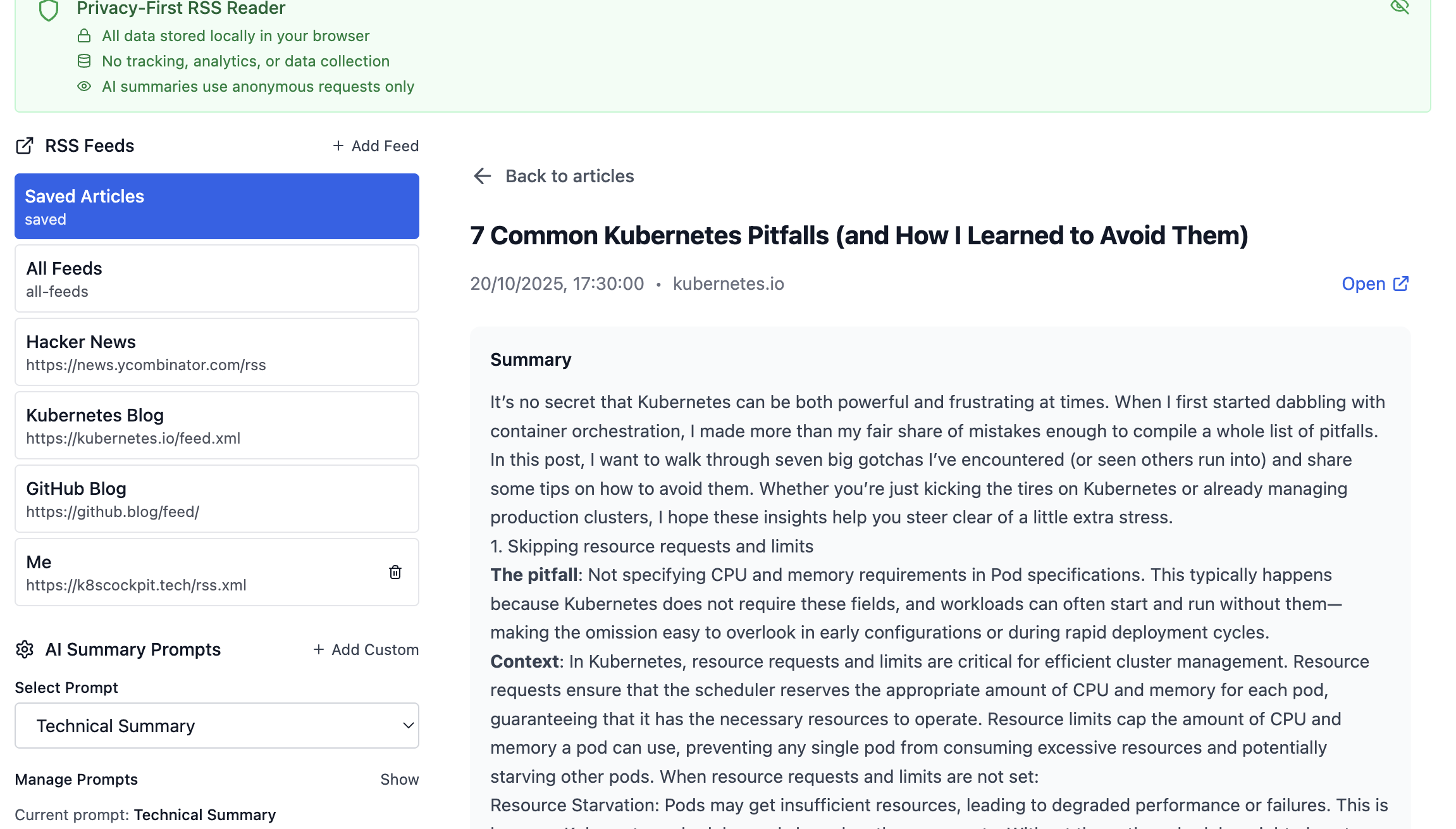
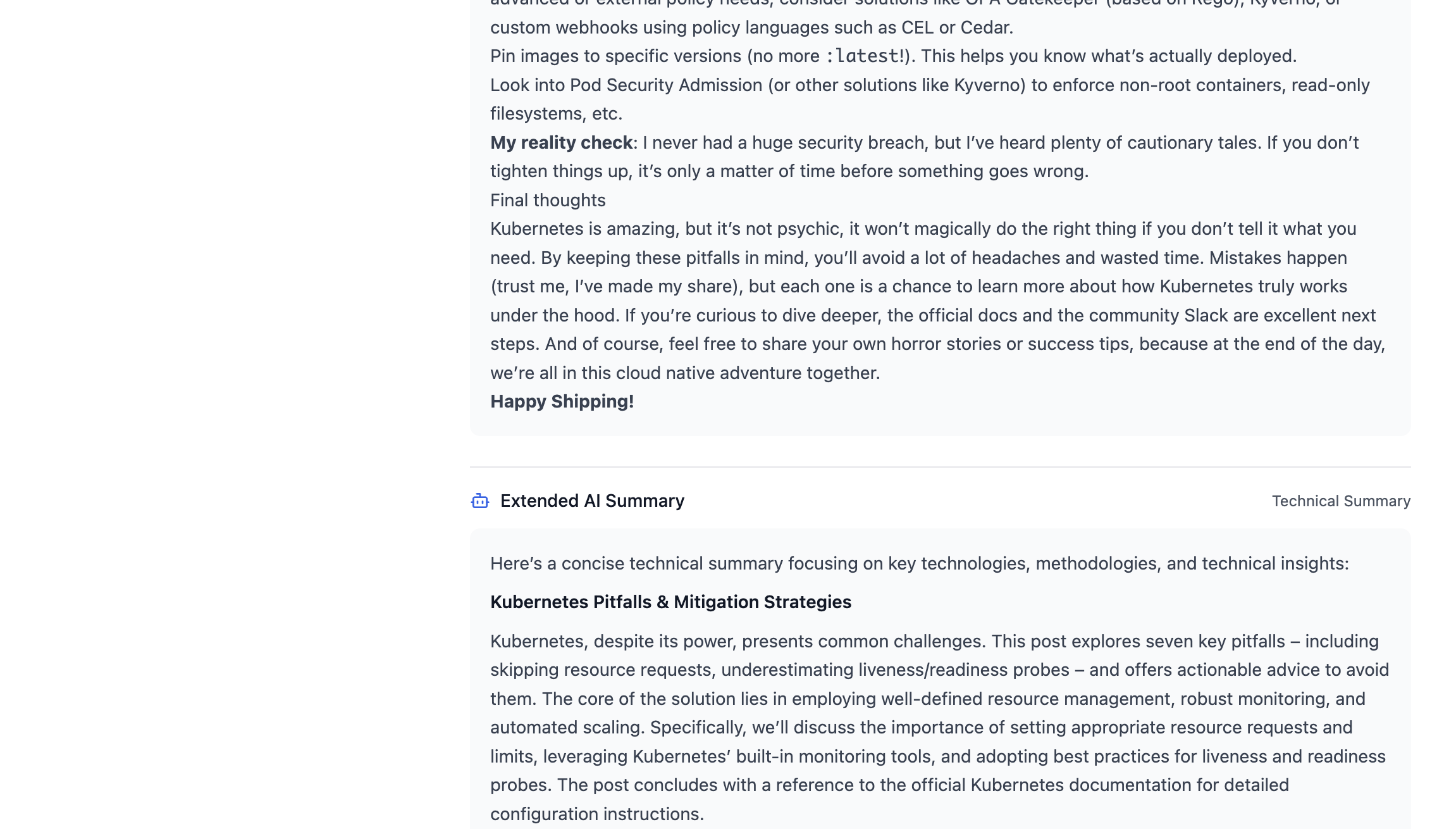
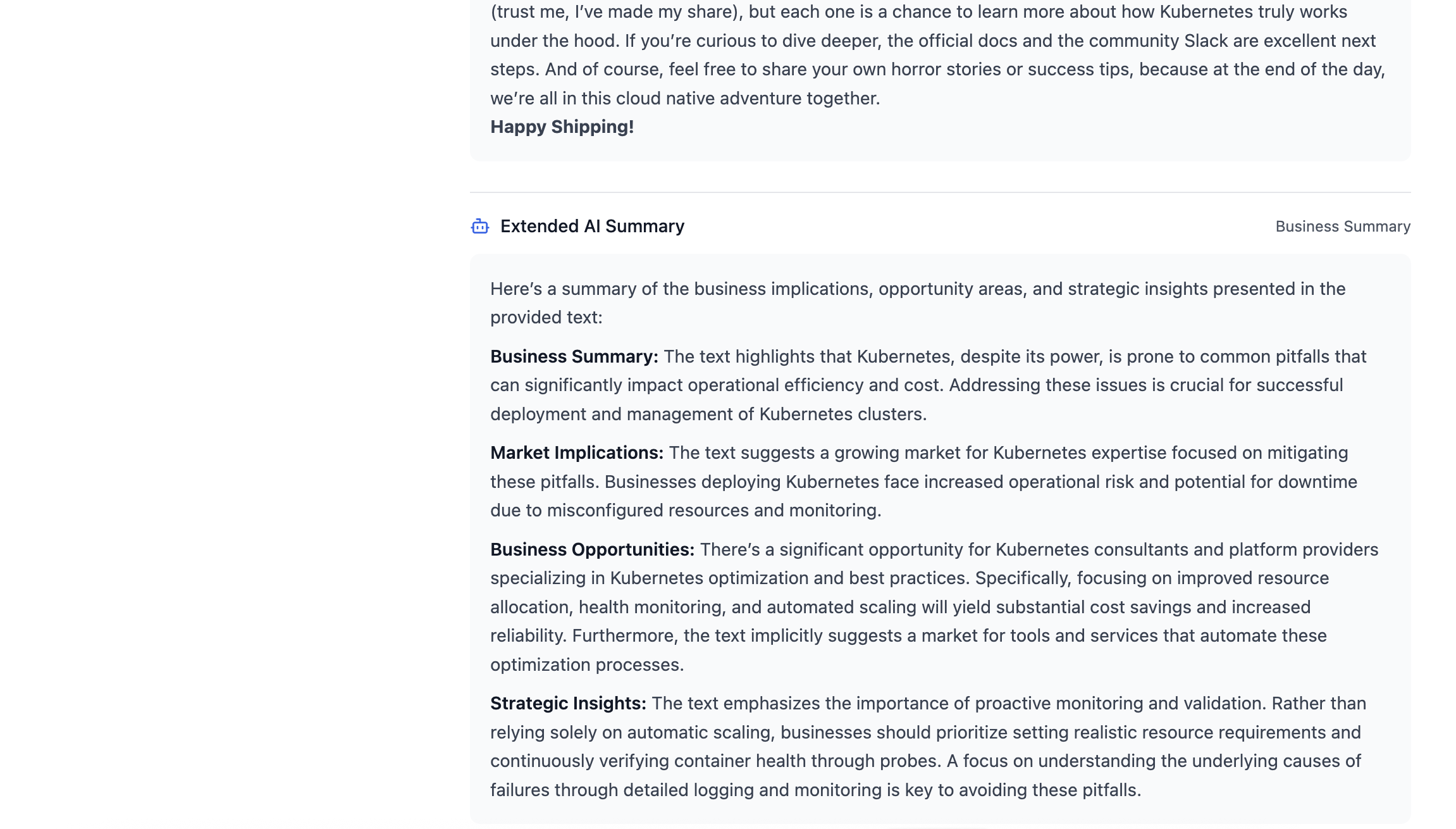
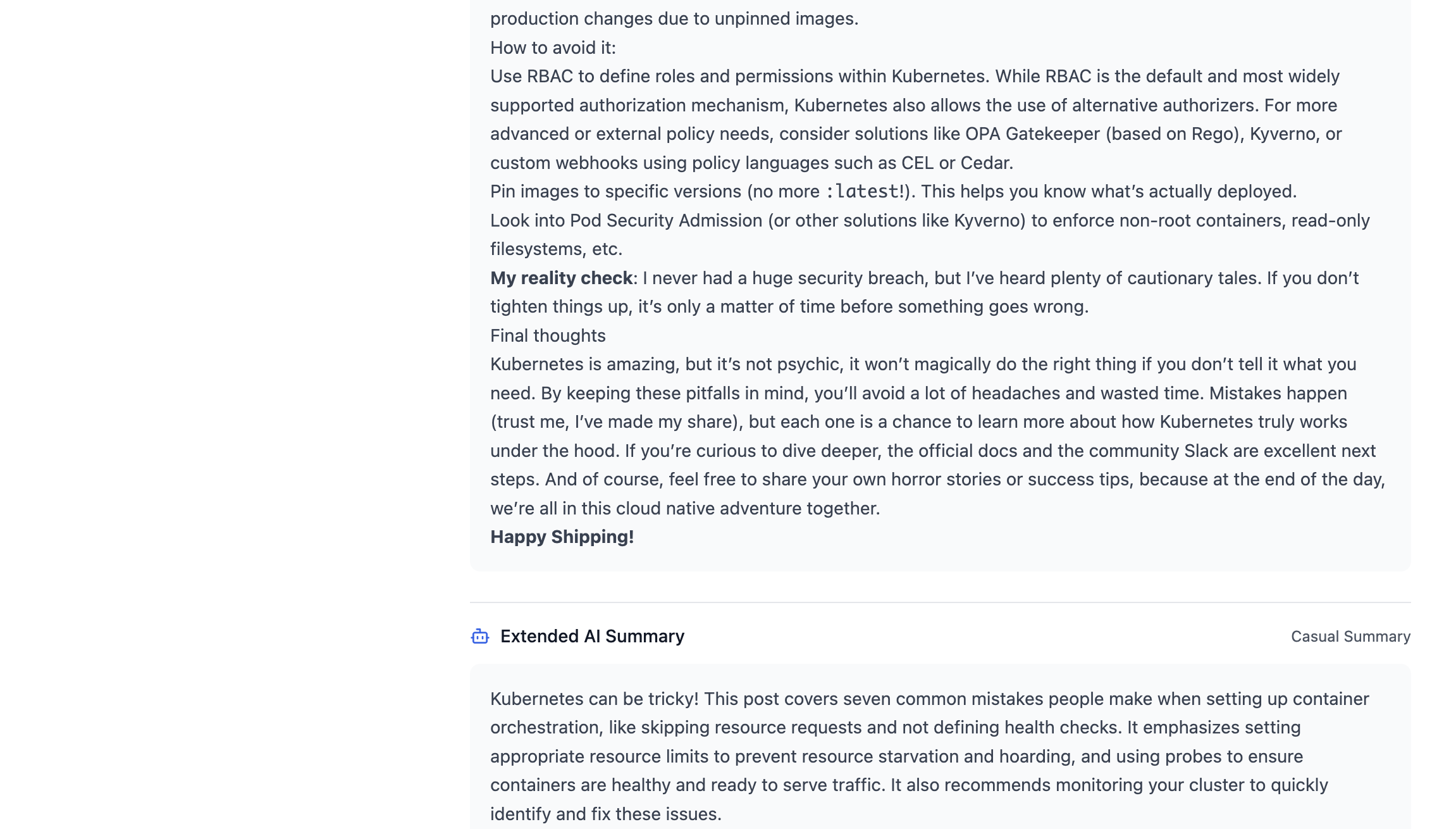
- Custom prompts: Three default prompts (technical, business, casual), but you can create your own. Want summaries focused on security implications? Create a custom prompt. Need summaries for Kubernetes content? There’s a prompt for that.
How it works: All summaries are generated locally using Ollama. Your articles never leave your infrastructure. Summaries generate in 1-3 seconds on consumer hardware (tested on Mac Mini M1, no GPU required).
Privacy-First Architecture
This isn’t just “no tracking”—it’s complete data sovereignty.
- No data collection: Nothing is stored on servers. All feeds, settings, and preferences live in your browser’s
localStorage. - No data sharing: Your reading habits aren’t sold, analyzed, or shared. Ever.
- No tracking: No analytics, no tracking pixels, no referrer leakage. The app actively removes tracking elements from RSS content.
- Self-hosted AI: All AI processing happens locally via Ollama. Your articles never leave your network.
The philosophy: Complete transparency, complete control.
RSS Feed Management
Simple, powerful feed management with sensible defaults.
- Add custom RSS feeds: Add any RSS feed URL. The app handles parsing, caching, and updates automatically.
- Default feeds included: Hacker News, Kubernetes Blog, and GitHub Blog are pre-configured so you can start using it immediately.
- Favorites system: Mark articles as favorites for quick access later.
- Export capabilities: Export your feeds and settings if needed.
Simple and Fast Frontend
The UI is designed for speed and simplicity—no bloat, no distractions, just content.
- Hacker News-inspired design: Clean, minimalist interface that focuses on readability. No unnecessary animations or heavy frameworks slowing things down.
- Fast loading: Optimized builds with Vite, minimal JavaScript, and efficient rendering. The app loads quickly even on slower connections.
- Mobile-responsive: Works seamlessly on desktop, tablet, and mobile devices. Read your feeds anywhere, anytime.
- Lightweight: No heavy dependencies or bloated libraries. Just React, TypeScript, and Tailwind CSS—fast and efficient.
The result: A frontend that gets out of your way and lets you focus on reading, not waiting for pages to load.
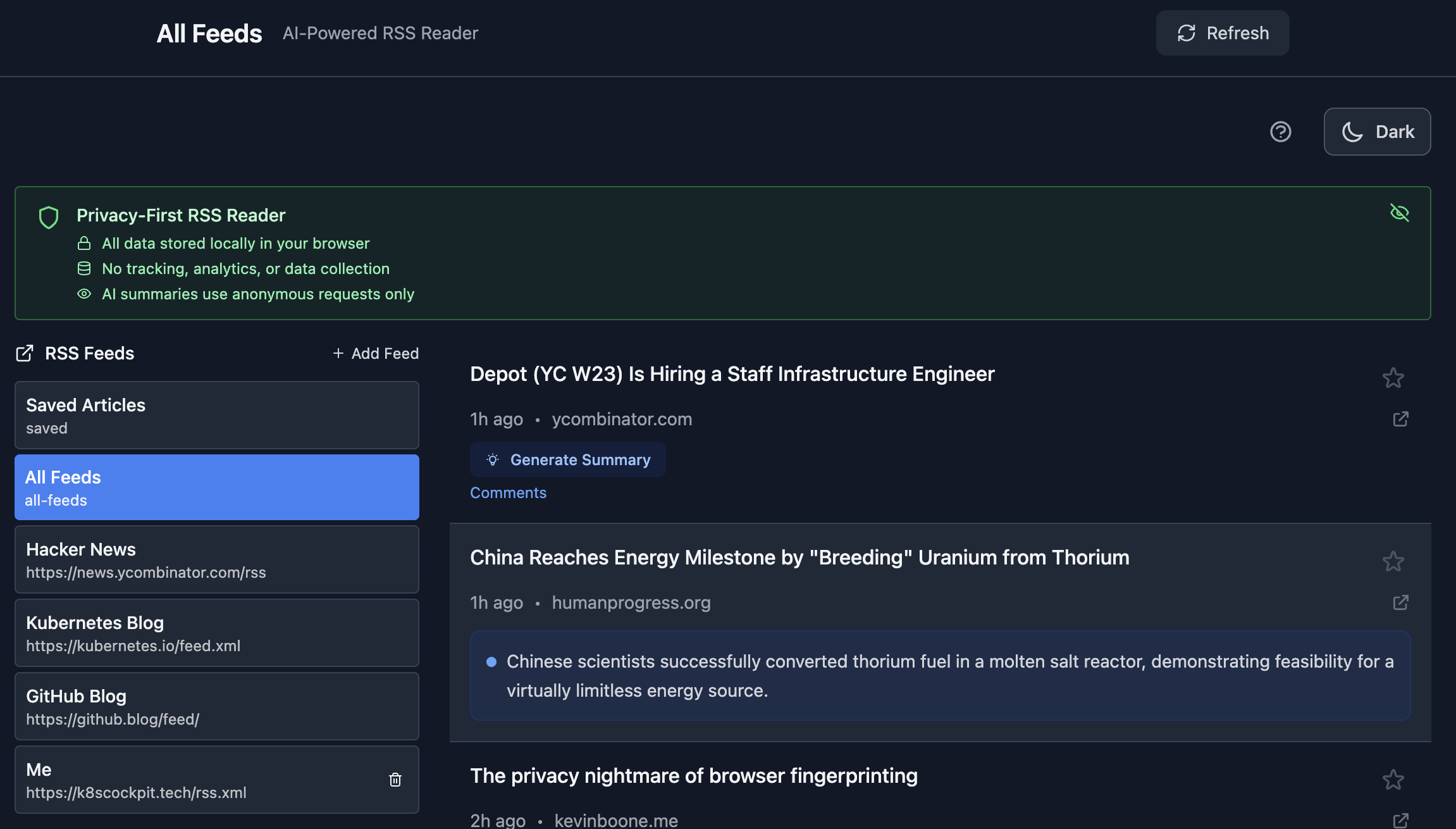
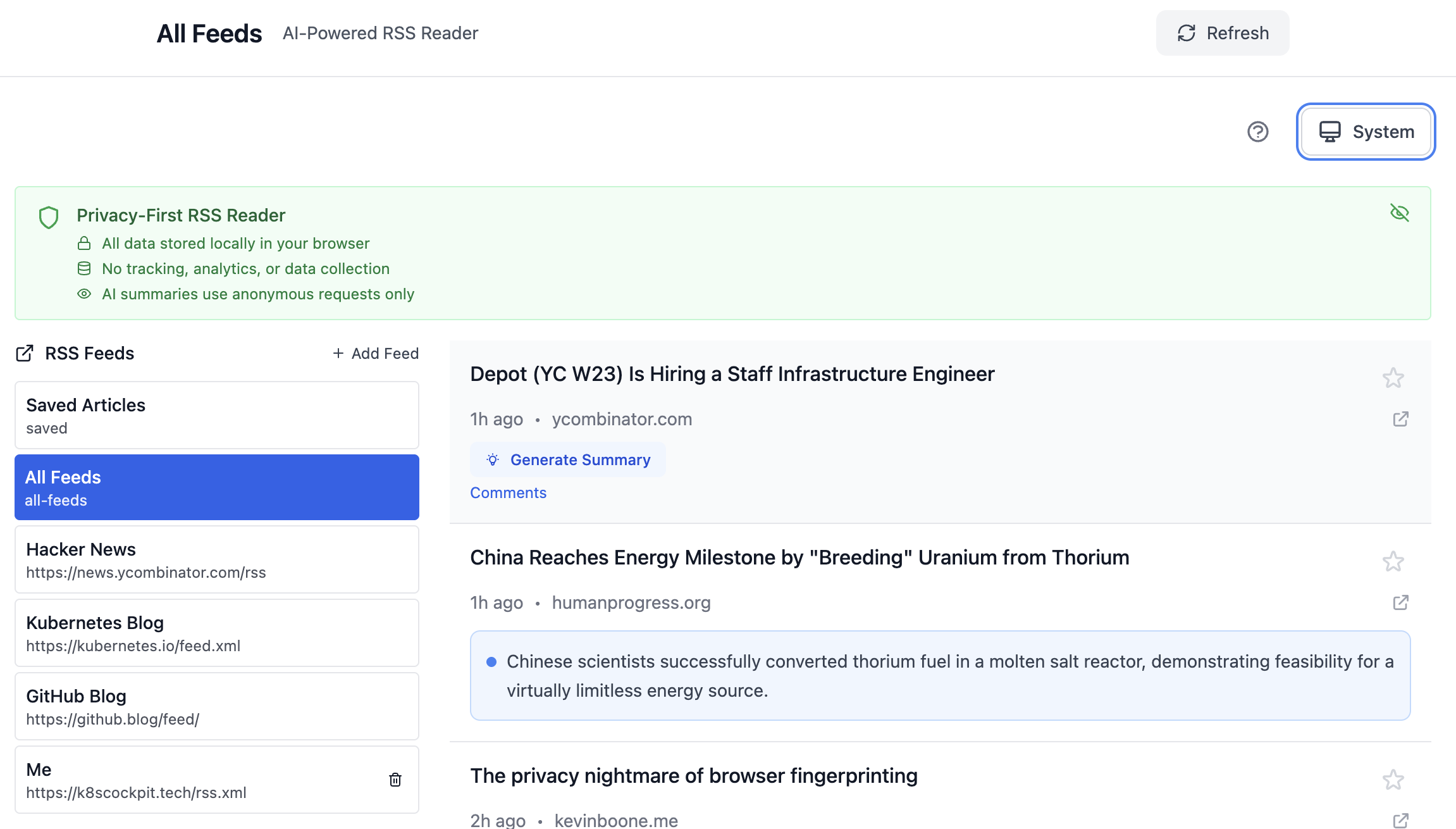
Dark/Light Theme Support
Customize your reading experience with theme preferences.
- Dark mode: Easy on the eyes for late-night reading sessions. Perfect for reducing eye strain in low-light environments.
- Light mode: Clean, bright interface for daytime reading.
- Theme persistence: Your theme preference is saved in
localStorage, so it persists across sessions. - Instant switching: Toggle between themes instantly—no page reload required.
Why it matters: Reading comfort matters. Whether you prefer dark mode for late-night browsing or light mode for daytime reading, the choice is yours.
Self-Hosted Deployment
Run it entirely on your infrastructure—no cloud dependencies, no external services.
- Docker Compose setup: Simple deployment with
docker-compose up -d - Local AI processing: Ollama runs on your machine, processing summaries locally
- No API keys required: No OpenAI, no Anthropic, no external services
- Complete control: Your infrastructure, your data, your rules
Perfect for: Privacy-conscious users, homelab enthusiasts, or anyone who wants to avoid cloud dependencies.
Quick Start
- Install Ollama on your host machine: https://ollama.ai
- Pull a model:
ollama pull gemma3:1b - Clone the repo:
git clone https://github.com/kaskol10/rss-ai-reader.git - Start with Docker Compose:
docker-compose up -d - Access: http://localhost:3000
That’s it! The application runs entirely on your infrastructure, with Ollama processing AI requests locally.
Try It Live
👉 Try RSS AI Reader Now — I’ve deployed a live demo using Dash Platform running the gemma3:1b model. No installation required, just click and start reading.
Screenshots
Here’s what the app looks like in action:
Next Steps
I’ll continue improving this project based on community feedback and my daily usage. Some next steps:
- Automatic filtering of posts based on your interests, maybe using your favorite posts as training data
- Reading history—I think this would be useful because sometimes you read an article and completely forget about it until 3 weeks later when you want to share it and can’t find it
- Project video explanation/presentation
Conclusion
I built this project to solve a real problem: information overload in my daily reading routine. But it became more than that—it’s a proof that privacy-first, self-hosted AI applications are not just possible, but practical.
What I learned:
-
AI-assisted development works: Cursor IDE made it easy to build a POC from an initial idea in hours. But iteration is where it gets challenging—you still need to understand the code, refactor it, and fix quirks. For non-technical folks, getting from POC to production-ready would be difficult without deep understanding.
-
Infrastructure shouldn’t be a blocker: As a Platform Engineer, I used Dash Platform from day one. I didn’t worry about Docker builds, SSL, or CDN configuration—I just focused on building. The result? I deployed faster and spent more time on features than infrastructure.
-
Small models are enough: The gemma3:1b model generates summaries in 1-3 seconds on consumer hardware. For 20-word summaries, you don’t need GPT-4. Sustainable AI is not just possible—it’s practical.
-
Privacy-first architecture works: Browser-side storage, local AI processing, no tracking—it all works seamlessly. You can have privacy without sacrificing functionality.
The project is open source and available on GitHub. Feel free to collaborate, raise issues, or ask questions. I’d be more than happy to hear from you.
If you want privacy-first information filtering without cloud dependencies, this might be what you’re looking for.
Resources
- Project Repository: GitHub
- Ollama: https://ollama.ai - Local AI models
- Small Language Models Research: https://arxiv.org/abs/2506.02153
- Cursor AI IDE: https://cursor.sh - AI-assisted development
- Dash Platform: https://dash.resiz.es - Rapid prototyping and deployment (highly recommended for early iterations)
Have you built similar privacy-first applications? What’s your experience with self-hosted AI? Let me know your thoughts.
About the Author
I’m a Platform Engineer Architect specializing in cloud-native technologies and engineering leadership. I focus on building efficient infrastructure and collaborative engineering processes.
Connect with me on LinkedIn or contact me for more information.